Top 10 Digital Wallets in 2026
Digital wallets have become the default way many people pay, send money, and store cards, moving well beyond a simple tap-to-pay feature. This list looks at ten of the most widely used digital wallets in 2026, what each one is built for, and how they differ.
A “digital wallet” can mean a few different things: an app that stores your existing cards for contactless payment, a peer-to-peer transfer app, or a broader account that holds a balance you can spend, send, or invest. The list below covers a mix of all three, since most people end up using more than one type depending on the situation.
Quick Comparison
| Wallet | Type | Best For |
|---|---|---|
| Apple Pay | Mobile/NFC wallet | iPhone users making in-store and in-app payments |
| Google Pay | Mobile/NFC wallet | Android users wanting broad bank and card support |
| Samsung Wallet | Mobile/NFC wallet | Samsung device owners, including ID and key storage |
| PayPal | Online payment account | Online shopping and freelance or business payments |
| Venmo | P2P payment app | Splitting bills and paying friends in the US |
| Cash App | P2P payment app | P2P transfers combined with basic investing |
| Alipay | Super-app wallet | Everyday payments and services within China |
| WeChat Pay | Super-app wallet | Payments integrated into a messaging platform |
| Skrill | Online payment account | Cross-border transfers and online trading platforms |
| Payoneer | Multi-currency account | Freelancers and businesses billing international clients |
1Apple Pay
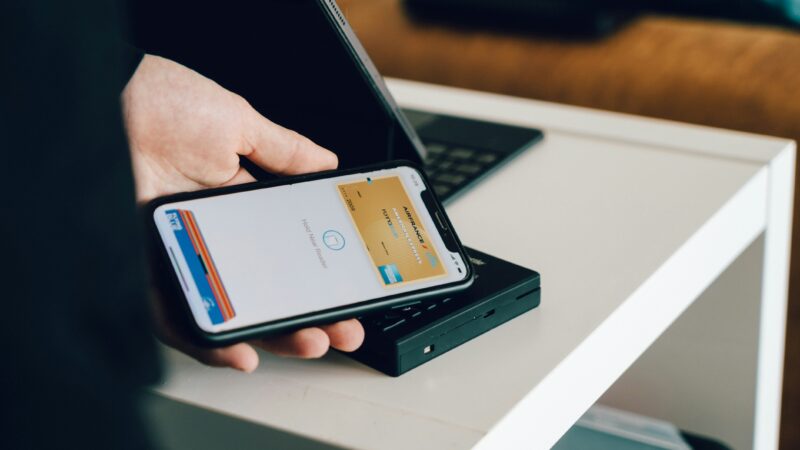
Best for: iPhone and Apple Watch usersApple Pay is built into iOS and lets users store debit, credit, and transit cards for contactless payment in stores, apps, and online. It relies on device-level security such as Face ID or Touch ID, and card details are tokenized rather than shared directly with merchants. In some regions, Apple Pay also supports storing digital IDs, such as driver’s licenses, alongside payment cards. It only works on Apple devices, so it isn’t an option for Android users.
2Google Pay
Best for: Android usersGoogle Pay is the Android equivalent of Apple Pay, supporting contactless in-store payments, online checkout, and peer-to-peer transfers in some markets. It integrates with a wide range of banks and card issuers and, like Apple Pay, uses tokenization so the merchant never sees the underlying card number. Google Pay is available on a broader range of hardware than Apple Pay, since it runs across many Android device manufacturers.
3Samsung Wallet
Best for: Samsung device ownersSamsung Wallet combines contactless payments with storage for loyalty cards, tickets, and in some markets, digital IDs and car keys. Samsung emphasizes on-device security through a hardware-isolated storage area for sensitive credentials. It’s tied to Samsung devices specifically, so it serves a narrower audience than Apple Pay or Google Pay, but offers similar core payment functionality for that audience.
4PayPal
Best for: Online shopping and business paymentsPayPal is one of the longest-running digital payment platforms, allowing users to hold a balance, link bank accounts or cards, and pay online without re-entering card details at every checkout. It’s widely accepted by online retailers and also supports sending money to other people, invoicing, and business payment tools. PayPal charges fees on certain transaction types, particularly currency conversion and some business payments, so it’s worth checking the fee schedule for a specific use case.
5Venmo
Best for: Peer-to-peer payments in the USVenmo, owned by PayPal, is a peer-to-peer payment app popular in the US for splitting bills, paying rent, or sending money between friends. It has a social feed feature showing (non-monetary) transaction activity between users, which can be set to private. Venmo also offers a debit card and limited investing features, but its core use case remains casual person-to-person transfers rather than broader banking.
6Cash App
Best for: P2P transfers plus basic investingCash App, from Block, combines peer-to-peer payments with a debit card, stock investing, and Bitcoin purchases in one app. It’s used both for everyday transfers and, by some users, as a lightweight entry point into investing. As with any app offering investment or crypto features, those come with market risk that doesn’t apply to the basic payment functions.
7Alipay
Best for: Everyday payments within ChinaAlipay is one of the two dominant “super-app” wallets in China, used for in-store payments, online shopping, utility bills, transport, and a wide range of government and lifestyle services within a single app. Its scope goes well beyond payments, functioning as a broader digital services platform. Availability and functionality for non-Chinese users can be more limited than for domestic users.
8WeChat Pay
Best for: Payments inside a messaging app ecosystemWeChat Pay is built into WeChat, China’s dominant messaging app, letting users pay merchants, send money to contacts, and access mini-programs (small in-app services) without leaving the chat interface. Like Alipay, it functions as part of a wider ecosystem rather than a standalone payment app. It’s most useful for people already using WeChat as their primary messaging platform.
9Skrill
Best for: Cross-border payments and trading platformsSkrill is an online wallet often used for international money transfers, online gaming platforms, and funding trading or betting accounts, in addition to general online payments. It supports holding multiple currencies and converting between them, though currency conversion fees apply. It’s less commonly used for everyday retail purchases compared to wallets like PayPal or Apple Pay.
10Payoneer
Best for: Freelancers and businesses billing international clientsPayoneer is a multi-currency account aimed at freelancers, e-commerce sellers, and businesses that need to receive payments from international clients or marketplaces. It offers local receiving accounts in several currencies, a prepaid card, and integrations with major freelance and marketplace platforms. It’s less focused on everyday retail spending and more on receiving and managing business income across borders.
Types of Digital Wallets
Digital wallets generally fall into a few broad categories, which can help clarify why a “top 10” list mixes household names with more specialized tools.
| Type | What It Does | Examples |
|---|---|---|
| Mobile/NFC wallets | Store existing cards on a device for contactless payment | Apple Pay, Google Pay, Samsung Wallet |
| P2P payment apps | Send and receive money between individuals | Venmo, Cash App |
| Online payment accounts | Hold a balance and pay online or across borders | PayPal, Skrill |
| Super-app wallets | Combine payments with messaging, services, or identity | Alipay, WeChat Pay |
| Multi-currency business accounts | Receive and manage income in multiple currencies | Payoneer |
What to Consider When Choosing a Digital Wallet
- Where you’ll use it. Some wallets, like Alipay and WeChat Pay, are built around specific regional markets, while others like Apple Pay and Google Pay work more broadly.
- Device compatibility. Apple Pay only works on Apple devices, and Samsung Wallet is tied to Samsung hardware, so your phone can narrow the choice.
- Fees for currency conversion or transfers. This matters most for wallets used across borders, such as Payoneer, Skrill, or PayPal.
- What else the app offers. Some wallets bundle in investing, crypto, or business tools, which may or may not be relevant depending on how you plan to use it.
- Security features. Look for tokenization, biometric authentication, and clear account recovery options, since these vary between providers.
Frequently Asked Questions
What’s the difference between a digital wallet and a mobile banking app?
A mobile banking app connects to a specific bank account and is provided by that bank. A digital wallet is typically provider-agnostic — it can store cards or balances from multiple banks or sources in one place, and often works across different merchants and platforms rather than being tied to a single financial institution.
Are digital wallets safe to use?
Most major digital wallets use security measures such as tokenization (replacing your card number with a unique code for each transaction) and biometric authentication. As with any financial app, security also depends on good account practices, such as using strong device passcodes and enabling multi-factor authentication where available.
Can I use more than one digital wallet?
Yes, and many people do — for example, using Apple Pay or Google Pay for in-store purchases, PayPal for online shopping, and Venmo or Cash App for splitting bills with friends. There’s generally no restriction on holding accounts with multiple providers.
Do digital wallets charge fees?
It depends on the wallet and the transaction type. Basic in-store payments through mobile wallets like Apple Pay or Google Pay are typically free for the user, while services involving currency conversion, instant transfers, or business payments often carry a fee. It’s worth checking each provider’s fee schedule for your specific use case.
Which digital wallet is best for international payments?
For freelancers and businesses receiving payments from clients abroad, Payoneer is built specifically for that purpose. For personal cross-border transfers or funding trading and gaming accounts, Skrill and PayPal are also commonly used, though fees and exchange rates vary between providers and are worth comparing directly.
The Bottom Line
There isn’t a single “best” digital wallet — the right choice depends on your device, where you live, and what you’re using it for. Most people end up with two or three: a mobile wallet like Apple Pay or Google Pay for everyday tap-to-pay purchases, a P2P app for splitting costs with friends, and, for freelancers or businesses, a dedicated multi-currency account like Payoneer or Skrill for handling international payments.